

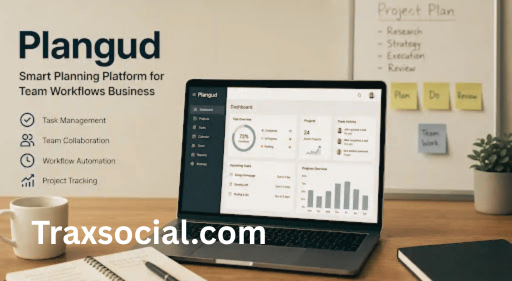
Most productivity apps are optimized for the creator rather than the consumer. They do not take into account how busy and stressed the consumer will be when using the application early in the morning, having missed their deadlines and seeing a rising number of notifications on their Slack app. This is the difference that makes many project management platforms fail. Plangud, a workflow planning platform that’s been generating quiet buzz among distributed teams and solo operators alike, is making a case that it’s different. Having spent time studying how it works, what it offers, and how real users are actually talking about it, I think the case is worth taking seriously — with a few caveats. — ##
What Plangud Actually Is (And Isn’t)
It looks natural that we start with defining what Plangud actually is because the topic is not quite clear without this. So, to summarize shortly, it’s an ecosystem that unites the management of tasks, creation of habits, and goal achievement. In other words, instead of using several apps for these purposes (planning app, calendar, goals management), the user obtains three functionalities in one product. Again, it’s a good value proposition since the problem being addressed does exist. Indeed, based on Asana’s State of Work data, an average knowledge worker of 2025 juggled with nine or ten different apps every day.
Nine. It’s not work, folks; it’s a freak show. Now, going back to the issue, Plangud solves the problem by creating a platform where all three functions are integrated into one, thereby avoiding the necessity for the user to use a to-do application, a calendar app, and a communication channel in order to follow up on one project’s progress. More importantly, what makes this product stand out is its underlying principle: it allows easy integration with other third-party products like Google Calendar, Trello, Google Drive, and Slack.
Where It Earns Its Keep: Team Collaboration
For teams specifically, the collaboration layer is where Plangud earns its keep. Team members can make changes immediately, provide comments regarding tasks, and organize activities without the need for regular status check meetings and email exchanges. I have seen enough teams degenerate into “just checking in” email chains to know how much time that burns. Eliminating even half of those check-ins is worth real money — in hours, in focus, in goodwill. Here’s the counterintuitive part, though: Plangud isn’t really a project management tool in the traditional sense.
It’s something closer to a planning philosophy with software attached. Some interpretations describe Plangud as a planning approach influenced by behavioral science and habit psychology, where continuous improvement matters more than rigid schedules. That’s an unusual claim for a productivity app to make, and honestly, it’s either the most interesting thing about it or the most suspicious — depending on your tolerance for productivity frameworks that sound like they belong in a self-help book.
Goals, Milestones, and the Loop Most Tools Miss
What makes it credible is the structure underneath. Plangud lets you create long-term and short-term goals, break them into milestones, manage tasks within those milestones, and track habits that support consistency — all within a single view. That’s a meaningful distinction from a tool like Trello, which is great for moving cards around but has no mechanism for connecting your Tuesday task list to your quarterly objective. Plangud tries to close that loop.
Whether it succeeds depends heavily on how disciplined you are about actually setting those objectives, which is a human problem, not a software one. The analytics dashboard makes for a true game changer. There’s visual proof before spending any money on the effects of decisions, ensuring efficiency and alignment on common goals. In an environment of a midsize marketing agency running several client projects simultaneously – think of a situation where an oversight in the second week turns out to be a nightmare in the sixth week – that level of insight becomes indispensable. It’s the difference between a profitable quarter and an uncomfortable client call.
Does It Actually Work? What the Numbers
Say One marketing agency case study found that after adopting Plangud, they streamlined their workflow and noted a significant reduction in missed deadlines. That’s vague in the way that most software case studies are vague, but the pattern it points to is consistent. Users across the platform report productivity increases of up to 30%, which is a number I’d normally dismiss as marketing copy — except that similar figures have appeared in independent research on unified workflow platforms going back to at least 2019, when McKinsey found that better communication and collaboration tools can improve productivity by roughly 20 to 25 percent. So the range is plausible.
What’s less clear is whether Plangud’s AI features are genuinely intelligent or just dressed-up automation. The platform combines historical analysis with forward-looking intelligence, and decision-makers can visualize the impact of choices before committing resources — which sounds impressive until you try to pin down exactly what “forward-looking intelligence” means in practice. Is it surfacing patterns from your past project timelines? Running scenario models? Predicting resource bottlenecks? The documentation gestures at all of these without being specific, and that vagueness is worth flagging if you’re evaluating this for enterprise use.
The Honest Drawbacks
The learning curve is real. Users may face a learning curve when adapting to the interface, and training sessions might be necessary for teams to fully work with its capabilities. That’s not a fatal flaw — Asana has a learning curve, Notion practically requires a certification — but it means Plangud isn’t something you roll out on a Friday afternoon and expect everyone to adopt by Monday.
Teams need onboarding time, and managers need to actually champion the tool rather than just install it and hope. That said, the flexibility is genuine. Plangud is designed to serve multiple sectors — IT, construction, healthcare, and education — with each industry adapting its features for their specific collaboration and efficiency needs. I’ve seen too many tools claim universal applicability and deliver mediocrity everywhere. Plangud’s approach — building around goal alignment and adaptive planning rather than a fixed workflow template — makes cross-industry usability more believable than it usually is.
Who Should Actually Use It
The price is competitively positioned for what it offers, but do consider it in light of your requirements before making a decision. If all you need is a board that can share tasks, there are other products available at lower prices. If you want a system that integrates strategic thinking, team collaboration, iterative review, and habit formation into one coherent workflow, Plangud is in a different category — and the price reflects that. Plangud is far from being flawless, and any truthful review must admit this fact.
More transparency is required regarding the needs of the AI, the onboarding process might be improved, and the large number of available features might be quite confusing for the user interested in doing some work. However, the concept itself – namely that one’s daily to-do list must be in sync with his long-term objectives and that others will have access to this information in real-time – seems rather logical.
The Bottom Line
The real question isn’t whether Plangud is a good tool. It probably is, for the right team. The question is whether your team is ready to treat planning as a discipline rather than an afterthought — because no software, however smart, can fix a culture that treats strategy as something that happens in a quarterly offsite and then gets ignored until the next one.